Automate Your Distraction-Free Day & Digital Sunset
Set recurring focus blocks that automatically shield apps during work hours, study blocks, and bedtime.
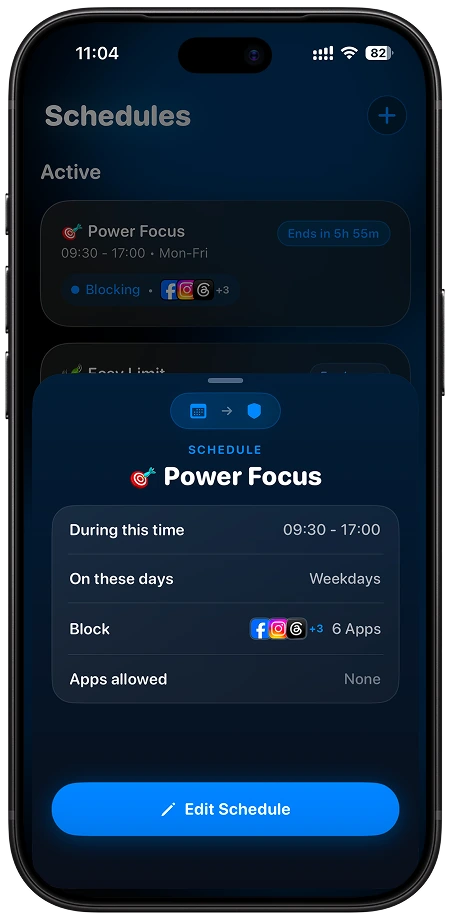
Architecture & Process
How Focus Schedules Works
Define Your Windows
Create distinct schedules for 'Work Hours', 'Evening Wind-Down', or 'Morning Quiet Routine'.
Set Day-of-Week Rules
Run schedules on weekdays, weekends, or tailor rules for individual days.
Auto-Shield Apps
Apps shield and release seamlessly in the background using Apple's ManagedSettings framework.
Behavioral Psychology
Why It Works
Predictable Sleep Hygiene
Establish a non-negotiable digital sunset that prevents late-night blue light doomscrolling.
Zero Manual Effort
Shields engage and release on autopilot so you can focus entirely on your priorities.
Allow Lists & Block Lists
Block specific time sinks or invert the logic to allow only essential work apps.
The Difference
FocusWell vs. Traditional Blockers
| Dimension | FocusWell Focus Schedules | Traditional Blockers |
|---|---|---|
| Execution Reliability | Managed by native iOS kernel on-device | Fails when background VPN disconnects |
| Flexibility | Custom days, start/end times, and block lists | Rigid one-size-fits-all scheduling |
| Bedtime Protection | Dedicated digital sunset safeguards sleep | Basic alarm or easy override |
Frequently Asked Questions
Quick answers about Focus Schedules
Explore More FocusWell Features
Ready to Experience Focus Schedules?
Download FocusWell on iOS today and start building permanent focus habits backed by neuroscience and zero willpower drain.
Free 3-Day Trial • 100% On-Device & Private • iOS Native