Why Counting App Opens Beats Daily Screen Time Limits
Daily minute limits fail because they ignore compulsive pocket-checking. Discover why capping app opens eliminates mindless scrolling at the root.
Most people trying to curb their smartphone usage rely on Apple's built-in Screen Time or traditional blocking apps that measure success in minutes. You grant yourself 45 minutes of Instagram or 30 minutes of X, convinced that a timer will keep your impulses in check.
Yet within a week, the pattern unravels: you hit your limit by 2 PM, tap "Ignore Limit for Today," and sink into self-blame.
The problem isn't your willpower. The problem is that measuring screen time in cumulative minutes fundamentally misunderstands the neuroscience of compulsive phone addiction. To fix digital distraction, you don't need stricter minute budgets — you need to limit app opens.
The Fatal Flaw of Daily Minute Budgets
Daily minute budgets fail because they measure total elapsed duration instead of behavioral interruptions. When you budget 30 minutes for an app, your brain treats it as permission to open that app 60 separate times for 30 seconds each, shattering your attention span throughout the entire day.
When you set a 30-minute daily allowance on an app like Instagram or TikTok, how do you actually spend those minutes?
Almost nobody sits down, uses their 30 minutes in a single uninterrupted session, and puts the phone away for the remaining 23.5 hours. Instead, those 30 minutes are fractured across dozens of unconscious micro-sessions:
- Checking notifications while waiting for the elevator (45 seconds)
- Opening the app at a red light (30 seconds)
- Pulling down the feed while code compiles or an email sends (90 seconds)
- Unlocking during a slow conversation (20 seconds)
In behavioral psychology, this is known as intermittent checking. The damage to your cognitive capacity doesn't come from the total minutes spent; it comes from context switching and attentional residue.
According to research from Dr. Gloria Mark at the University of California, Irvine, it takes an average of 23 minutes and 15 seconds to regain deep focus after a single distraction. If you open an app 25 times a day, your brain remains in a perpetual state of cognitive fragmentation, even if your total screen time was only 20 minutes!
The Habit Loop: Curing the Pocket "Twitch"
Compulsive phone usage is driven by automatic motor memory, not conscious desire. A cue triggers an involuntary craving, prompting you to unlock and open an app before your prefrontal cortex can intervene. Limiting app opens targets the initiation trigger directly.
In The Power of Habit, Charles Duhigg outlines the classical three-part neurological habit loop:
- The Cue: A micro-moment of boredom, social anxiety, or mental fatigue.
- The Routine: Reaching into your pocket, unlocking the iPhone, and tapping the colorful app icon.
- The Reward: A variable hit of novel stimulation (likes, messages, sensational news).
Because this loop runs thousands of times, the routine bypasses your conscious prefrontal cortex and gets outsourced to the basal ganglia — the brain region responsible for automatic habits and muscle memory. You unlock your phone without ever making a conscious decision to do so.
When an app blocker merely warns you that you have "5 minutes remaining today," it does nothing to stop the basal ganglia from triggering the physical reach. You still pick up the phone. You still launch the app. The addiction loop remains fully lubricated.
How Open Limits Revolutionize Digital Discipline
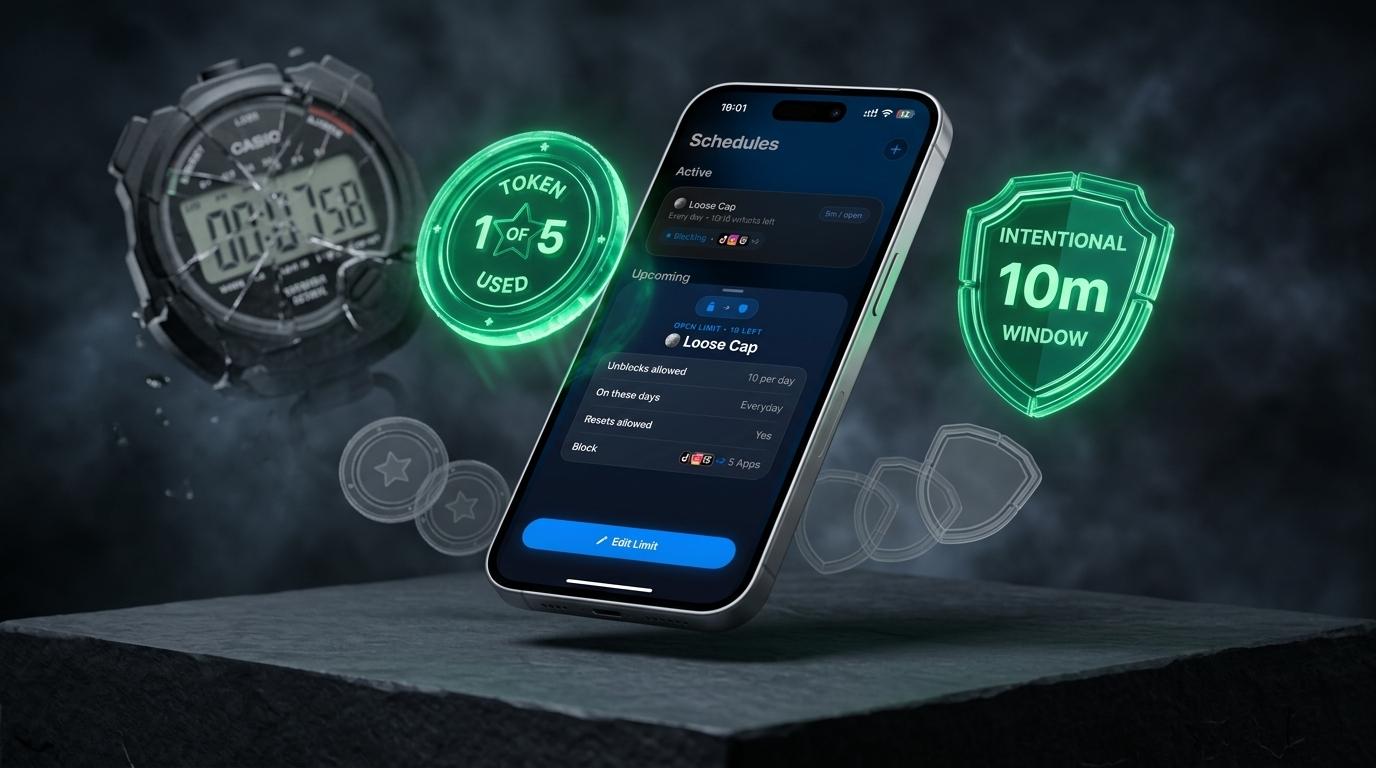
Open Limits invert screen time philosophy by capping the frequency of app launches rather than duration. By allotting a finite number of launches (such as 4 per day), every session requires an intentional choice, replacing mindless muscle memory with conscious sovereignty.
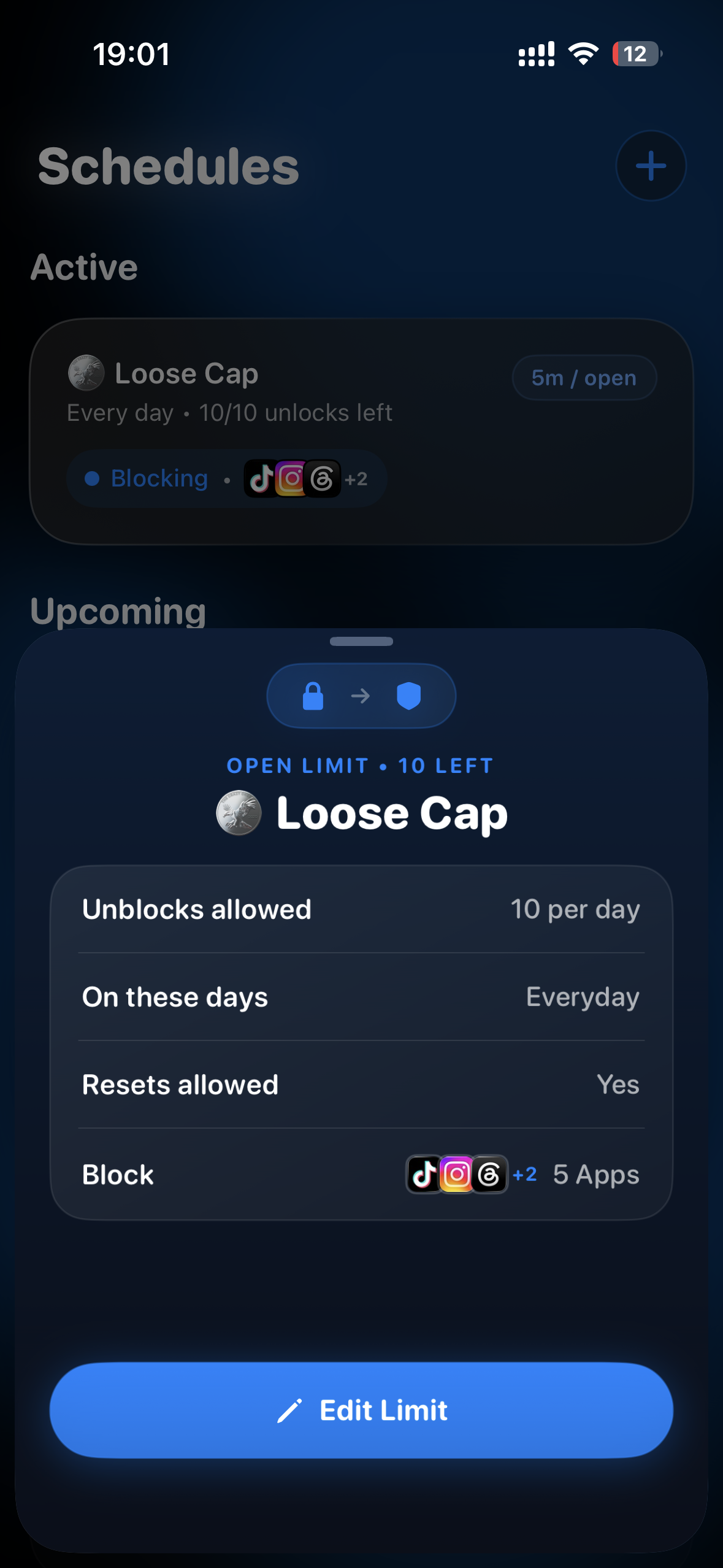
This is why FocusWell introduced Open Limits — an architectural paradigm shift built directly on Apple's native Screen Time API.
Instead of setting a passive countdown clock, an Open Limit establishes a strict daily allowance on app launches:
- Allocated Tokens: You grant yourself 4 opens of Instagram per day.
- Intentional Window: Each open grants a defined access window (e.g., 10 minutes).
- Conscious Valuation: Before tapping the app, your brain is confronted with a real question: "Is this quick check worth burning 25% of my daily allowance?"
The psychological effect is immediate. The moment a resource becomes scarce, your brain transitions from mindless impulse to conscious valuation. You stop opening social media in the elevator because you know you'll want that launch tonight after dinner.
By targeting frequency instead of duration, Open Limits attack the root cause of digital dependence: the physical compulsion to check.
Combining Open Limits with Mindful Friction Gates
Hard blocks trigger psychological reactance, pushing users to delete the app. Pairing Open Limits with cognitive friction gates — such as an 8-second breathing pause or a mental math challenge — creates space for rational decision-making without triggering resentment.
Simply restricting launches is only half the battle. If a blocker slams an aggressive barrier in your face, the primitive brain experiences reactance — an emotional resistance to having your freedom restricted. This is why so many people end up deleting restrictive app blockers within 48 hours.
FocusWell solves this by pairing Open Limits with Mindful Friction Gates:
- Breathe With Us: An 8-second animated breathing prompt ("In for three. Out for four.") that activates the parasympathetic nervous system and breaks the dopamine surge.
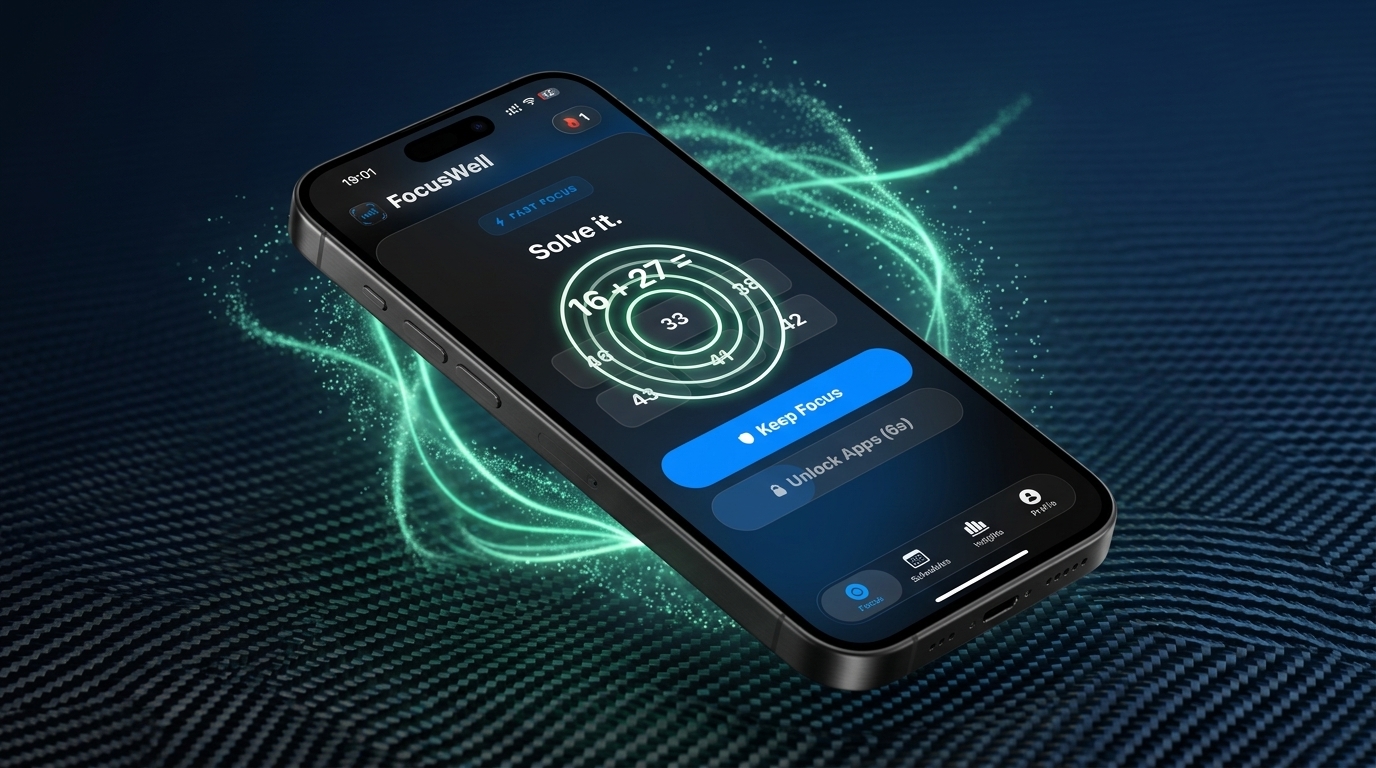
- One Math Move: A 3-slot mental calculation that jolts your prefrontal cortex awake before the app unlocks.
- Intent Check: A brief reflection asking what specific task you intend to accomplish before entering.
By introducing just 8 seconds of cognitive friction, impulse opens drop by over 60%. If you truly need to look up a message or coordinate plans, you proceed with clear intention. If it was just a mindless twitch, you lock your phone and smile.
100% On-Device Privacy: The FocusWell Advantage
Unlike legacy blockers that monitor internet activity via invasive VPNs and remote proxy servers, FocusWell operates entirely on-device through Apple's native Screen Time Framework, ensuring zero battery drain and absolute privacy.
Many third-party blocking apps attempt to track usage by installing custom VPN profiles or routing all mobile traffic through third-party DNS servers. This approach has critical drawbacks:
- Severe Battery Drain: Constant background packet inspection burns through your iPhone battery.
- Privacy Risks: The developer or hosting company could technically monitor your browsing habits, visited URLs, and unencrypted queries.
- Fragile Reliability: iOS frequently disconnects background VPN configurations, causing limits to fail silently.
FocusWell was engineered from day one to be 100% on-device and privacy-first. Built with Swift and SwiftUI using Apple's official Screen Time framework (FamilyControls and ManagedSettings), FocusWell never sees your internet traffic, never inspects your messages, and leaves the enforcement entirely to the secure iOS kernel.
Take Back Your Attention: A Step-by-Step Guide
To implement an Open Limits protocol that lasts, start by identifying your top 2 habit-forming apps and setting realistic initial boundaries.
- Identify the Trigger Apps: Check your iPhone Settings under Screen Time. Notice which apps have 40+ daily pickups (typically Instagram, TikTok, X, or Reddit).
- Set Your Baseline Open Limit: Don't start at zero. If you currently open an app 30 times a day, set your FocusWell Open Limit to 8 opens with a 10-minute session window.
- Activate the Breathing Friction Gate: Enable the 8-second "Breathe With Us" pause on each open. Notice how often your urge to scroll dissolves before the 8 seconds end.
- Taper Down Weekly: After 7 days, reduce your limit from 8 opens to 5, then to 3.
- Review Your Weekly Truth Report: Track your regained hours, stolen sleep recovery, and consecutive consistency streaks inside FocusWell.
Willpower is an exhaustible battery. Systems and intentional friction are permanent. By switching from minute budgets to Open Limits, you finally stop fighting your brain and start reclaiming your life.
Ready to break the compulsive scroll cycle?
Ready to break the pocket-check twitch? Download FocusWell to experience Open Limits natively on iOS.
Free 3-Day Trial•100% On-Device & Private•Native Apple Screen Time
FocusWell Research
Our team examines behavioral neuroscience and native iOS Screen Time mechanics to design healthier digital environments.